1 Week. 40+ Templates. A Top-Selling Collection.
The Goal: Execute a high-volume design sprint for the Class of 2025. The objective was to produce 8 photorealistic templates per day in Photoshop, ensuring a wide reach across diverse graduate categories and markets within a single week.
The Result: A market-ready collection that became my top-selling line. By optimizing backend SEO, tags, and custom personalization fields, I ensured maximum visibility—leading to one standout design alone achieving over 12,000 views and 5 bulk orders.
From Research to Render
My process began with analyzing the current trend landscape. I scoured Pinterest and Etsy to see what graduates actually wanted, then developed concepts that bridged popular trends with my own creative direction.
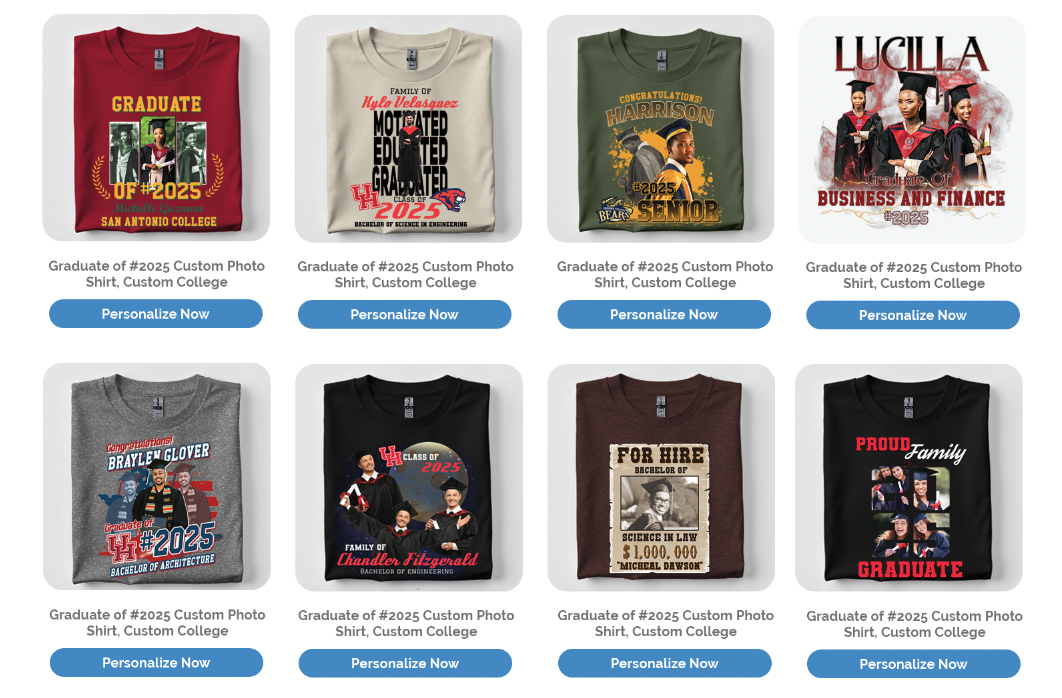
To hit my target of 8 designs a day, I maintained a strict workflow: spending one hour per template in Photoshop to build polished, adaptable assets. I used Shutterstock photography to replicate customer images and identified key customizable fields—like names, degrees, and school colors—that would drive the highest user engagement.
Visual Strategy: Something for Every Senior
The outcome of the design sprint wasn't just volume; it was variety. I curated the collection to ensure it hit every major style category, including text-heavy designs for parents, photo-centric layouts for sentimental students, and bold mascot graphics for school spirit. This strategic mix ensured that when customers landed on the "Class of 2025" page, they found a cohesive gallery of options that looked professional and ready to customize.
Backend Architecture & Optimization
A design is only successful if customers can find it—and customize it. Once the visual assets were finalized, I shifted into operations mode. I managed the full upload pipeline within our proprietary backend system, which included:
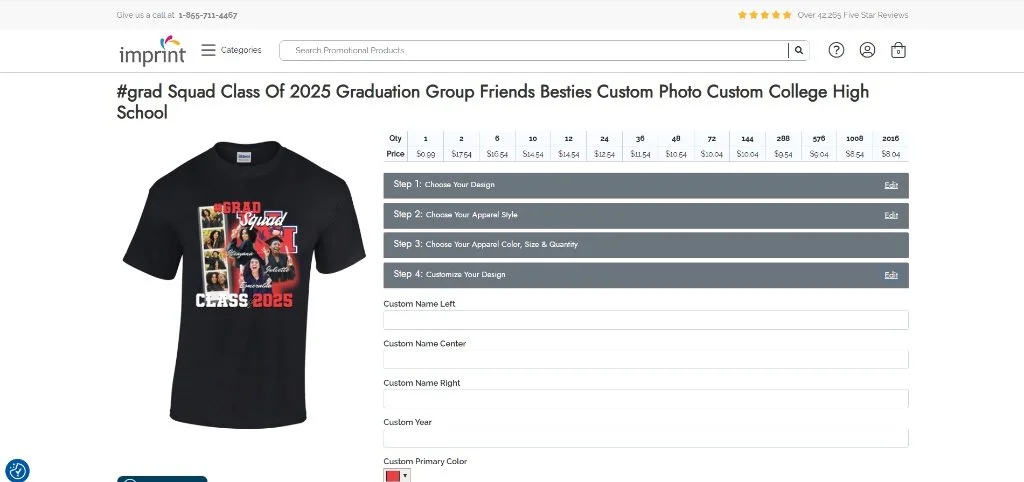
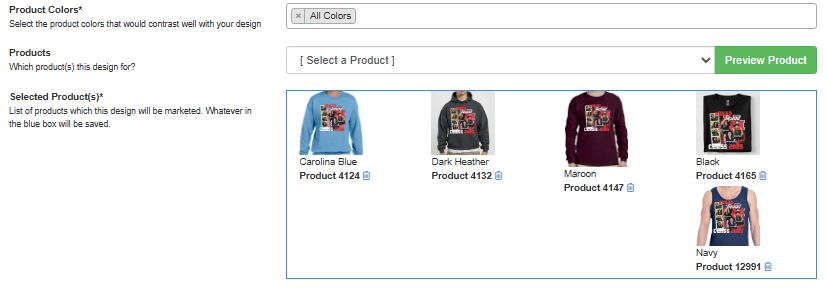
Visual Merchandising: I managed the Product ID selection to control the default frontend preview. This meant manually assigning the best-looking garment colors as the primary thumbnail to maximize click-through rates.
SEO Strategy: Writing targeted metadata and tags to ensure the designs ranked for keywords like "Class of 2025" and "Senior Mom."
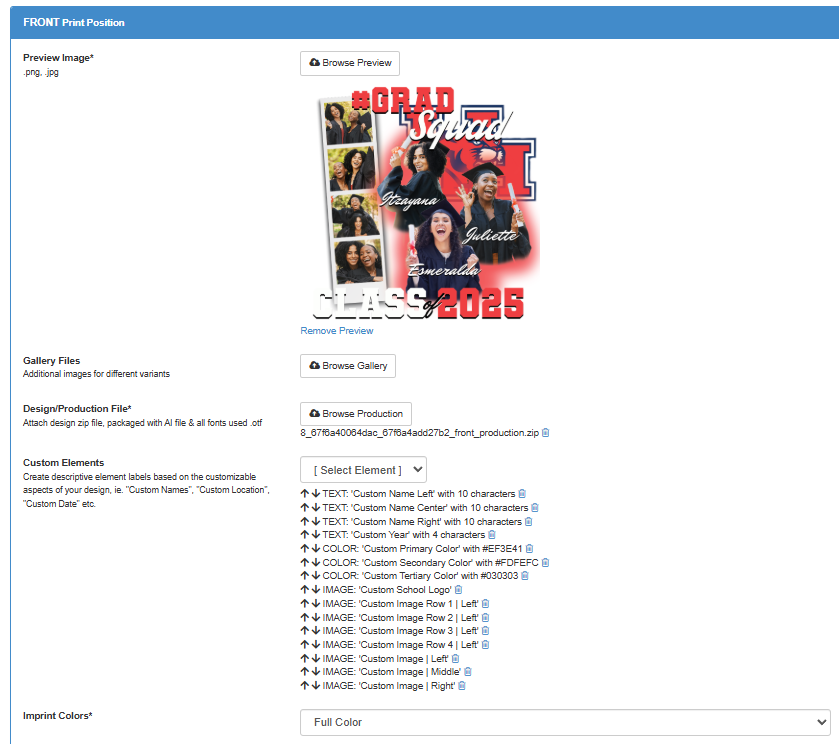
Customization Logic: Building the user fields (e.g., specific text inputs for Names/Degrees, color pickers for School Colors) that allow the Photoshop template to function dynamically on the live site.
Measuring Impact: Reach vs. Conversion
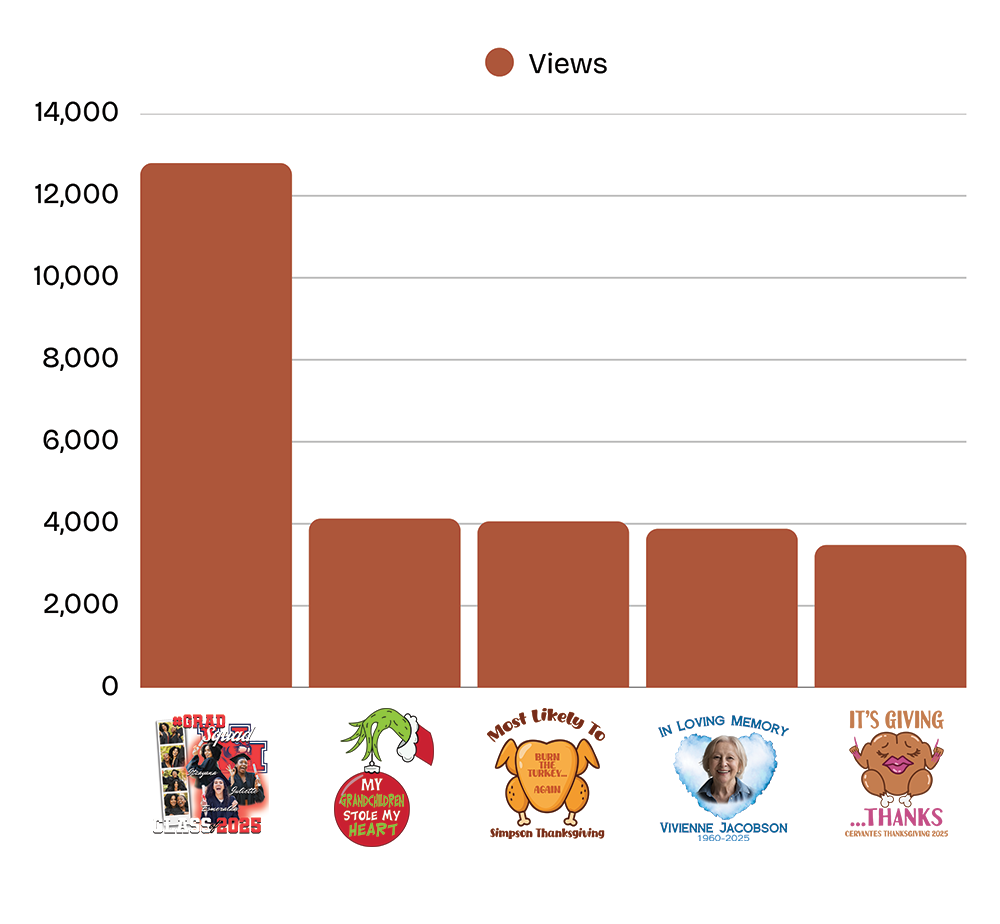
Graph 1: Organic Reach (Top 5 Viewed) First, they have to find it. This chart tracks my top-performing designs by unique views across different seasonal categories. By leveraging backend tools—strategic tagging, metadata optimization, and category mapping—I was able to drive over 100,000 organic impressions to these designs without paid ad spend.
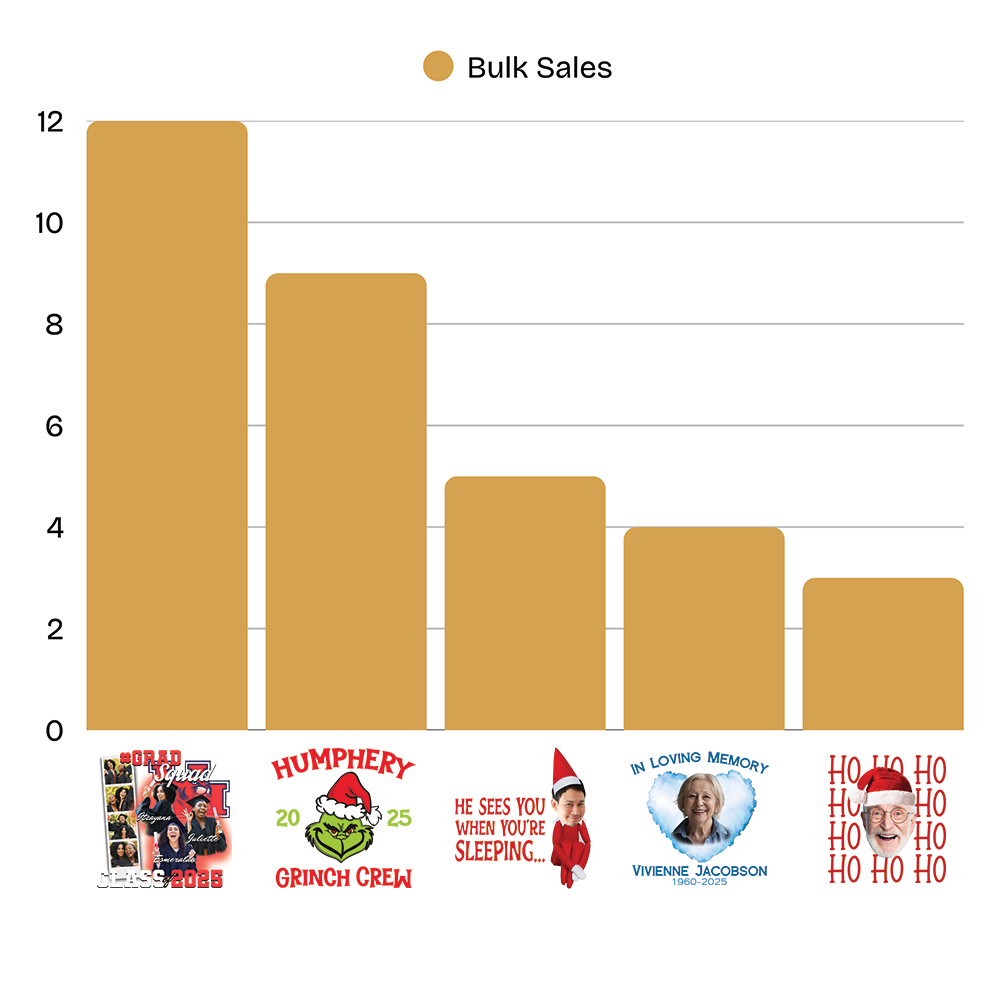
Graph 2: Customer Connection (Top 5 Sold) Once they find it, they have to love it. This graph highlights my top-selling templates. The high conversion rates across diverse events prove that my user-centered design approach resonates with customers, turning passive browsers into active buyers.
Conclusion: Quality at Scale
This case study demonstrates that high-volume production doesn't require sacrificing quality; it requires a smart workflow. By combining data-backed research with an agile design process, I was able to rapidly deploy a market-ready collection in just one week. This project serves as a proof of concept for my ability to work under tight deadlines while still delivering the polished, user-centered experiences that drive revenue.